04. Interface
The DL20 main window has three tab screens, a common top bar, and (on the COMPOSITION screen) a bottom panel with the timeline and media browser. This page is a layout overview; what each element does in detail is described on the pages about composition, output and sync.
Three screens
| Tab | What is on it |
|---|---|
| COMPOSITION | the grid of lines and windows, layers, the clip panel of the selected window, the timeline, the media browser — the operator lives here |
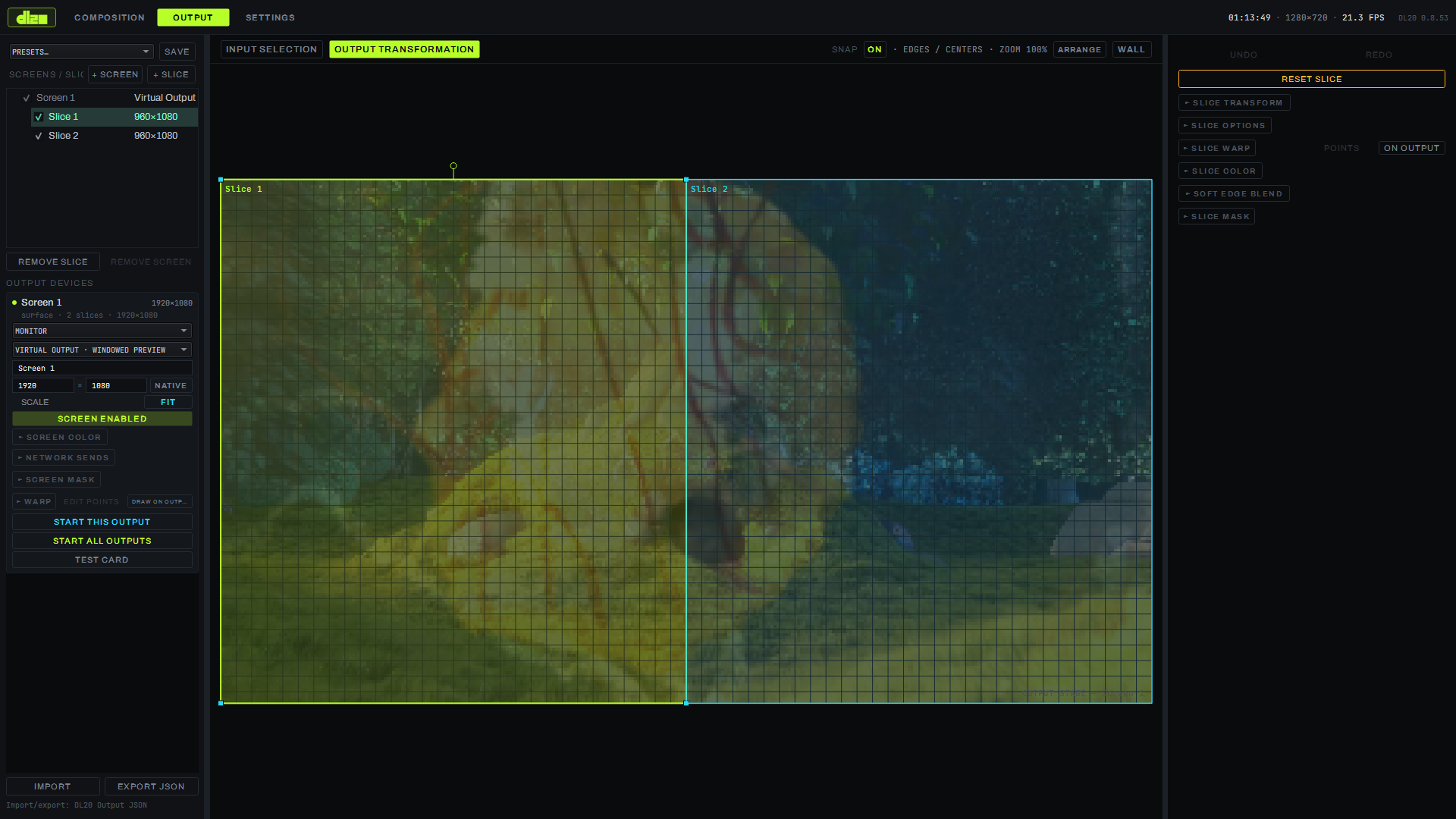
| OUTPUT | screens and slices, output geometry and mapping |
| SETTINGS | engine, audio, sync, controllers, remote |
The program window launches maximized; F11 toggles fullscreen mode, ESC returns to windowed.
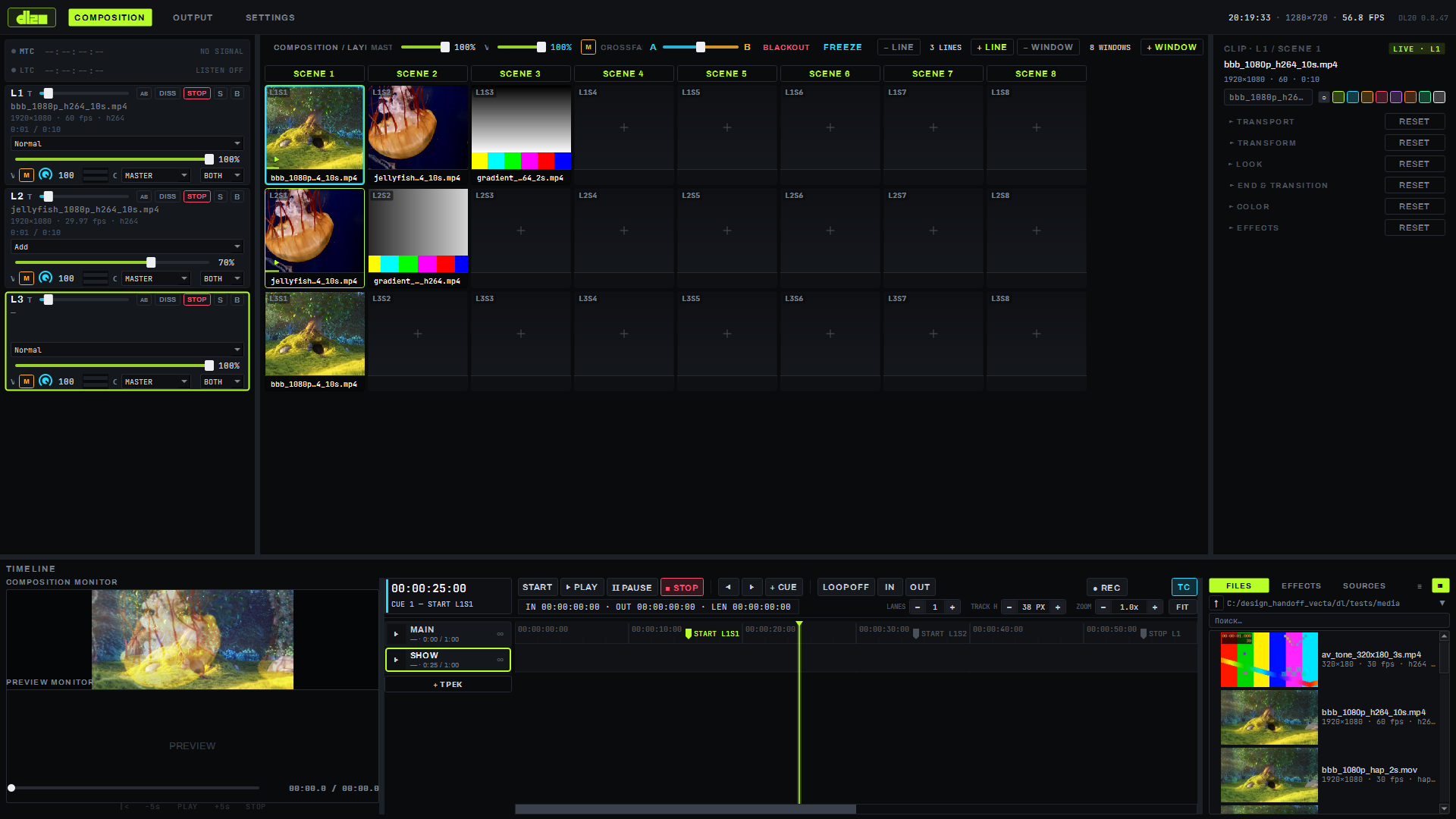
Top bar
On the left — the logo and the COMPOSITION / OUTPUT / SETTINGS tabs; on the COMPOSITION screen, the same
spot also shows the MTC and LTC sync-reception indicators (details on the sync page). On the right — the
current time, composition resolution, FPS, and the program version (DL20 0.8.42).
Bottom panel (COMPOSITION screen only)
The bottom panel has two tabs: TIMELINE (PLAY/PAUSE/STOP transport, timecode, IN/OUT points, tracks with cues) and the media browser (FILES / EFFECTS / SOURCES, details on the sources page). To the left of the timeline are the COMPOSITION MONITOR (a live preview of the composited output) and the PREVIEW MONITOR (previewing a clip before launch, without touching live layers). The OUTPUT screen has no such panel — there the mapping canvas occupies the whole height below the top bar.
SETTINGS — a page of cards
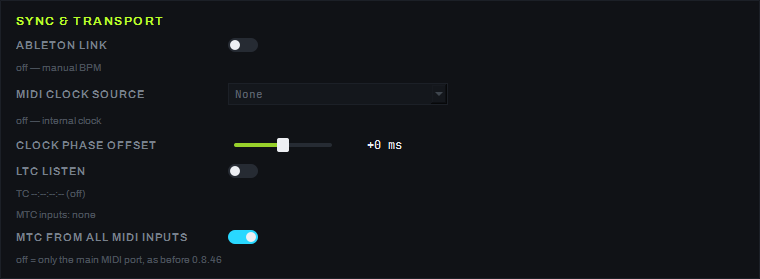
The SETTINGS screen is a single scrollable page of parameter cards: engine, audio, sync, controllers, remote, and the ABOUT row at the bottom. Example — the SYNC & TRANSPORT card (covered in detail on the sync page): the ABLETON LINK and LTC LISTEN toggles, the MIDI CLOCK source selector, the CLOCK PHASE OFFSET slider.
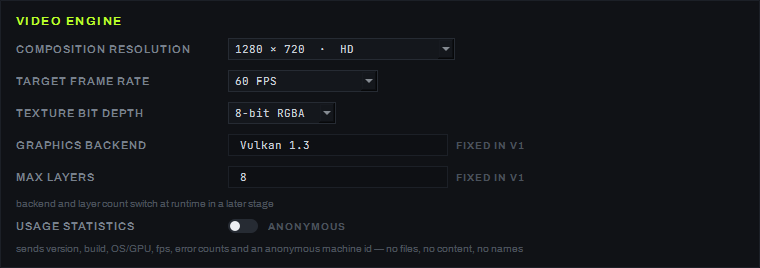
The COMPOSITION RESOLUTION limit on this card is up to 16384 px per side, with an area no greater than 16384×8192 (0.8.64; 16384×4320 in 0.8.46–0.8.63); the resolution list and the custom-size dialog live right here. Below the list, the "Рекомендация" (recommendation) caption (0.8.64) names the composition size at which the densest enabled output gets pixel-for-pixel. Only enabled slices of enabled monitors that take their picture from the composition and have a non-zero size are counted; DMX screens and volumetric screens do not change the recommendation (since 0.8.92; before that, a disabled slice or a DMX fixture could also raise it). If the 1:1 size is above the limit, the caption says so: "… — для 1:1 нужно 19200×10800, движок ограничивает до 15446×8688 (по площади): останется растяжение ≈1,24×" (1:1 needs 19200×10800, the engine limits it to 15446×8688 by area, a stretch of about 1.24× remains; since 0.8.92). The custom-size dialog shows the same recommendation with a "Подставить" (fill in) button that enters the limited size, a video-memory verdict (fits / tight / not enough) and the load relative to 4K UHD.
Limitations
- The bottom panel with the timeline and media browser exists only on the COMPOSITION screen.
- The BINDINGS screen (modulators, the binding table) and the top BPM / TAP / QUANT group are currently hidden by customer decision; MIDI Learn is available through the M button on a layer strip and a right-click on a window.