01. What is DL20
DL20 is a media server for live playback: multi-layer video mixing, projection mapping, output to LED walls and LED volumes over DMX, network video in and out. The operator works with a single workstation screen, while the composition can be output to several devices at once — up to 64 outputs (projectors, monitors, LED devices) simultaneously, from a single project file.
Who it is for
The document and the program are aimed at a video engineer or VJ operator: someone who, on site, builds video layers in a grid, sets up mapping for the real screens, and runs the show live.
How a show is built
Sources (video files, stills, audio, procedural generators, live NDI/Spout/camera feeds) are loaded into grid windows, windows sit on layers with their own effects, and layers are composited together. The composition is then distributed to output screens through slices — each slice independently chooses which part of the composition to show (INPUT SELECTION) and how to output it to the physical device (OUTPUT TRANSFORMATION: geometry, warp, mask). An output screen is one of three types: MONITOR (a projector or display, with warp, keystone, masking and edge blending), DMX LUMIVERSE (LED devices over Art-Net / sACN), or VOLUMETRIC (an LED volume). Each screen also has network send — NDI SEND / SPOUT SEND.
The main window has three tabs — COMPOSITION (building and live-triggering layers), OUTPUT (mapping and outputs), and SETTINGS (engine, audio, sync, controllers, remote) — covered in detail on the next page ("04. Interface").
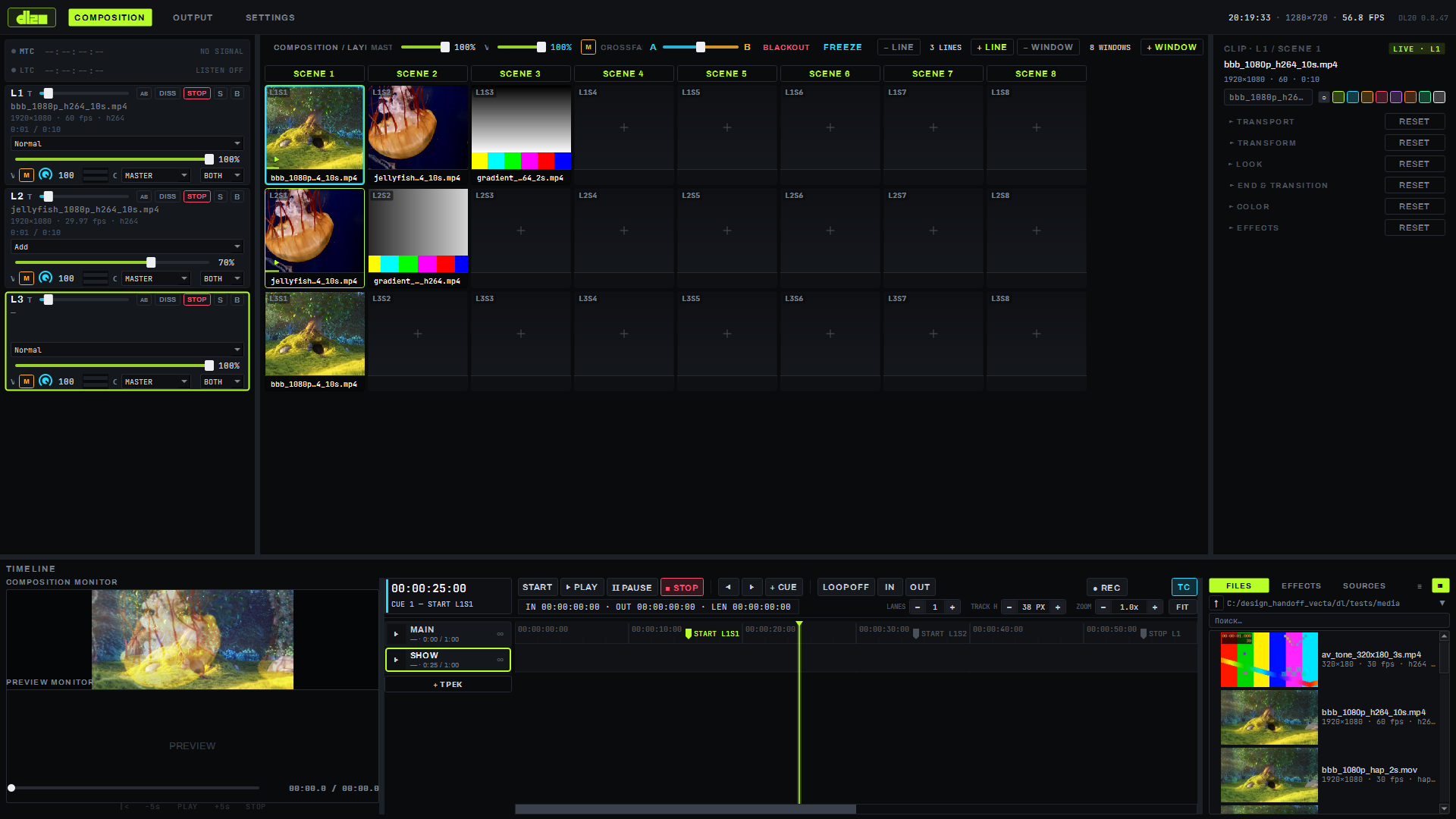
How to launch
- Install the program or unpack the portable build (page "02. Installation and update").
- Launch
dl_composition.exe— the window opens maximized on the COMPOSITION screen; F11 toggles fullscreen mode, ESC returns to windowed. - Switch between COMPOSITION / OUTPUT / SETTINGS by clicking the tab in the top bar.
The short path from launch to the first picture on a projector is on page "03. Quick start".
Machine requirements
| OS | Windows 10/11 x64 (no Linux or macOS builds at this time) |
| Graphics | Any modern GPU with Vulkan 1.3 (NVIDIA / AMD / Intel); rendering runs on a single GPU |
| Minimum | i5-12400 / Ryzen 5 5600, 16 GB RAM, GTX 1660 Super / RX 6600 — 1080p60, 4–8 layers |
| Reference | i7-13700K / Ryzen 7 7800X3D, 32 GB RAM, RTX 4070 / RX 7800 XT, NVMe drive — 4K60, 8 layers |
Performance on the reference machine
Figures taken on the reference profile (RTX 4070):
| Scenario | Result |
|---|---|
| 8 layers at 4K60, mixed blend modes, masks, rotation | 0.78 ms mean / 0.95 ms p99 per frame |
| Two Hap Q 4K60 streams at once | 780+ fps per stream |
| 4 ProRes 422 HQ 1080p60 streams at once | 351 fps per stream, 0 dropped frames |
| Recovery after a GPU loss (TDR) | 40–270 ms |
Languages and licensing
The interface is English / Russian, switched from the application menu (Language). A free tier is currently in effect (the watermark is disabled by policy); offline licensing mechanics (daily / monthly / yearly / perpetual, machine-locked) are built into the program and await activation.
Limitations
- Builds exist only for Windows; Linux is designed into the architecture but has no builds, macOS is excluded.
- Rendering runs on a single GPU — a second or third card in the machine does not share the load.